
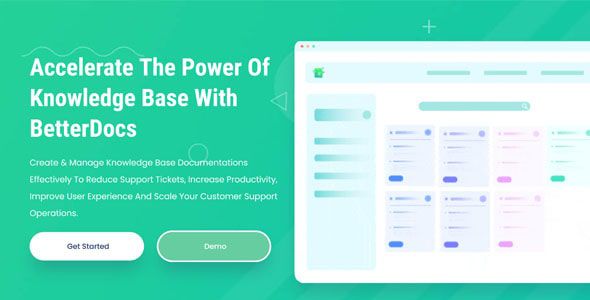
BetterDocs Pro WordPress Plugin
$3.95

Lifetime update
Files directly from the developer
Unlimited use of the website
Full of advanced features
Fast and secure payment
Regularly update new versions
BetterDocs Pro is a premium WordPress plugin for creating, organizing, and managing a comprehensive knowledge base to enhance customer self-service and reduce support tickets. Developed by WPDeveloper, it offers advanced features beyond the free version, such as insightful analytics, multiple knowledge bases, AI-powered chatbot, and advanced design customization.
Key Features of BetterDocs Pro
- Advanced Search Functionality: Offers an instant, AJAX-based search feature that helps users quickly find relevant documentation by typing keywords.
- Customizable Documentation Layouts: Provides multiple layout options for displaying documentation, including grid and list styles, all of which are fully customizable to fit your website design.
- Knowledge Base Analytics: Offers built-in analytics to track which articles are performing well and which need improvement, providing insights into user behavior and content effectiveness.
- Instant Answer Bot: Includes an AI-powered chatbot that offers users instant answers by suggesting relevant articles when they search for help, enhancing the user experience.
- Multiple Knowledge Bases: Allows the creation of multiple knowledge bases on a single website, making it easy to categorize documentation by different products, services, or user groups.
- Advanced Access Controls: Provides user role-based access control, so you can restrict specific documentation to certain user groups, such as customers or employees.
- Feedback & Reviews: Allows users to rate and leave feedback on each article, helping website owners improve the quality and usefulness of the material.
- Fixed Table of Contents: Automatically creates a fixed table of contents for each article, making navigation through long documents easier and more user-friendly.
- Easy Integration with Page Builders: Seamlessly integrates with popular WordPress page builders like Elementor, enabling you to design custom layouts for your documentation pages.
How to Install BetterDocs Pro
To use the Pro version, you must have the free version of BetterDocs installed and activated.
- Purchase Pro: Buy a license from the BetterDocs website.
- Download: Download the
betterdocs-pro.zipfile from your WPDeveloper. - Go to Plugins -> Add New -> select the downloaded file.
- Activate: Click “Activate Plugin” after installation is complete.
- Activate License: Enter your license key to enable Pro features and receive updates/support.
Last Version:
v3.7.0
License Type:
GPL License
Last Update: Mar 19, 2026
By Publisher:
BetterDocs
Live Demo
Related products


$3.95





$3.95


$3.95








$3.95

$3.95

$3.95
$3.95