
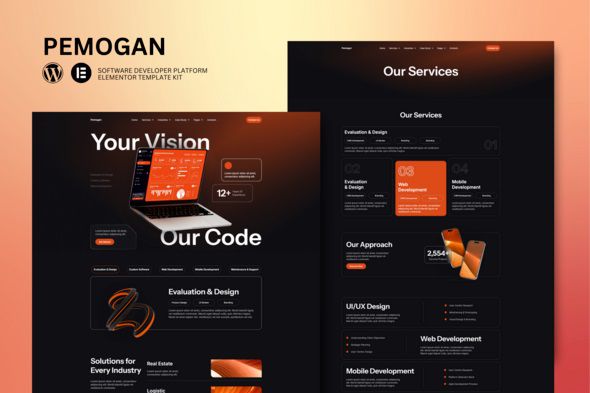
Pemogan – Software & IT Solutions Elementor Template Kit
$3.00

Lifetime update
Files directly from the developer
Unlimited use of the website
Full of advanced features
Fast and secure payment
Regularly update new versions
Pemogan is an Elementor template suite for IT and software development solutions, a collection of pre-designed interface (layout) templates specifically for the Elementor page builder on WordPress.
Key Features of Pemogan
- Provides over 10 ready-to-use page templates.
- Fully compatible with the free version of Elementor.
- Fully Responsive Design, automatically optimizes display on all devices from computers to mobile phones.
- Professional, modern, suitable for SaaS, tech startups, and businesses providing digital solutions.
How to Install and Use
To use Pemogan, you can follow these steps:
- Install Plugin: Make sure your WordPress installation has the Elementor Website Builder plugin installed and activated.
Import Kit via Envato (if purchased from Envato): - Download the kit file from Envato Elements.
- In your WordPress admin dashboard, go to Pages > Add New and select Edit with Elementor.
- Click the Envato icon during editing, select View Installed Kits, and click Insert Template into the desired page.
Manual Import
- Go to Templates > Import Template.
- Select the Pemogan .zip file from your computer and upload it to begin customization.

























Reviews
There are no reviews yet.